Watch Several Live Stream Events at Once — How-To Guide

Keeping tabs on a single live stream can be captivating, but what if you need to monitor multiple events happening simultaneously? Whether you're tracking global news, observing wildlife in different habitats, or simply wanting to soak in diverse views from around the world, EarthLive24 makes it easy to watch several livestream events at once. Our platform allows you to combine numerous live feeds into a single, customizable display, enhancing your viewing experience and saving you valuable time.
Imagine keeping an eye on the Al Jazeera Mubasher stream from Qatar while simultaneously checking the news on NBC News NOW from the United States. Or perhaps you're a nature enthusiast who wants to observe the Africam Tau in South Africa alongside the serene Bali Rice Fields in Indonesia with Flights to Madikwe while seeing what's happening right now in those locations.
EarthLive24's multi-view feature is designed for efficiency and user-friendliness. There’s no need to download any software or deal with complicated installations. Simply navigate to our watch multiple streams at once page, select the cameras you wish to view, and arrange them to your liking. Our intuitive interface allows you to customize your layout, adjusting the size and position of each stream to create the perfect monitoring dashboard. Now, you can easily watch several livestream events at once without the hassle of switching between multiple tabs or windows.
Multi-Event Viewing Made Easy
The EarthLive24 platform is built to provide a seamless experience, even when you want to watch several livestream events at once. Our multi-view option is more than just a convenient feature; it's a powerful tool that unlocks new possibilities for how you engage with live content. Instead of being limited to a single perspective, you can create a dynamic and personalized window into the world. This functionality can be particularly valuable in situations where you need to monitor multiple locations or events for comparative analysis or real-time updates.
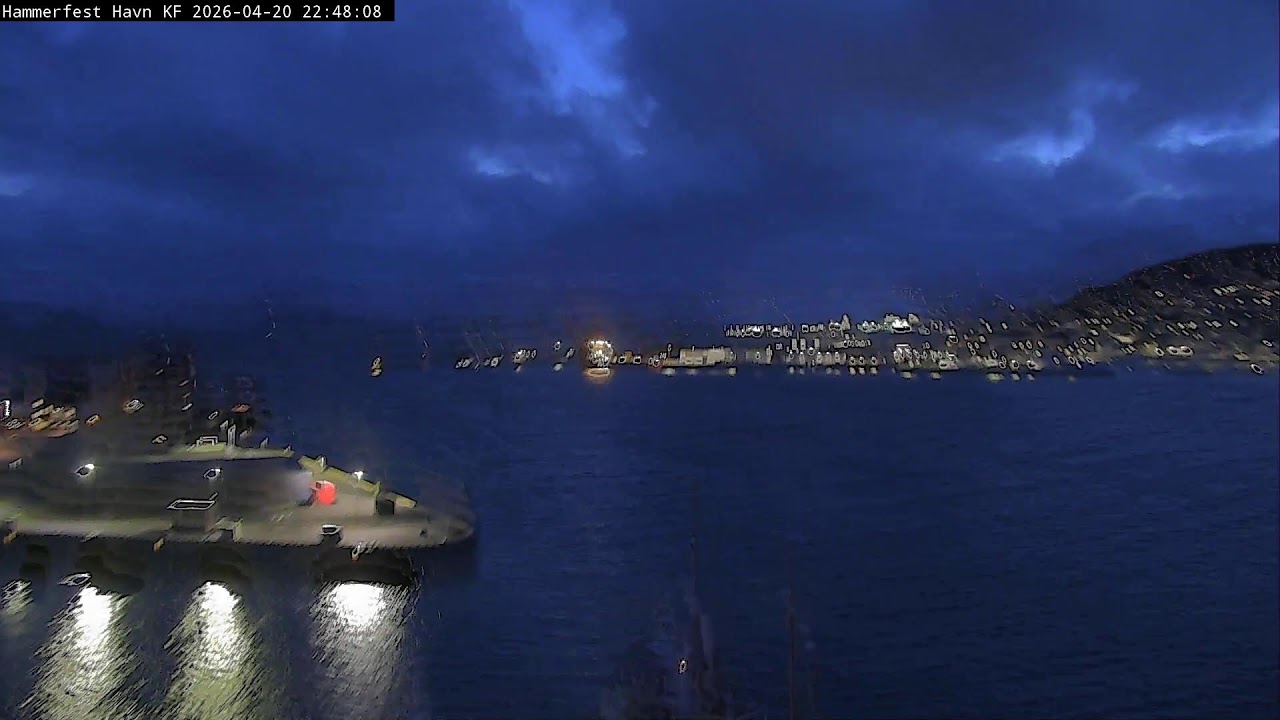
Consider the benefits for news enthusiasts. You could simultaneously watch Arirang TV from South Korea, RTVE 24H from Spain, and Al Jazeera Mubasher, gaining a comprehensive view of global events from diverse perspectives. This allows for a more nuanced understanding of complex issues, free from the filter of a single news source. Or, if you're planning a trip, you could monitor the Hammerfest Harbor in Norway to check weather conditions while also observing the activity at Taoyuan Airport in Taiwan, giving you a real-time snapshot of your potential destinations. You could even use explore cameras on the map to discover new cameras to add to your multi-view!
Our platform is also designed to handle the demands of viewing multiple live streams simultaneously. We optimize bandwidth usage to ensure smooth playback, even with several cameras running at once. Plus, our servers are built to handle high traffic volumes, so you can rely on a stable and consistent experience, no matter how many streams you're monitoring. EarthLive24 is constantly evolving, with new features and improvements being added regularly to enhance the multi-view experience and make it even easier to watch several livestream events at once.
EarthLive24 Multi-View Setup
Setting up your multi-view experience on EarthLive24 is incredibly straightforward. Start by heading to our dedicated watch multiple streams at once page. Once there, you'll find a user-friendly interface that allows you to easily add and arrange the live feeds you want to monitor. The process involves a simple drag-and-drop system, where you can select cameras from our extensive list and position them within your customized layout. You can also resize each video window to prioritize the feeds that are most important to you.
To add cameras, you can browse our categories like /cameras/cities, /cameras/beaches, /cameras/nature, /cameras/landmarks, or /cameras/news to find streams that align with your interests. Alternatively, you can use the search function to quickly locate specific cameras, such as the Cat Rescue Cam, or locations. Once you've found a camera you want to include, simply click the "+" button to add it to your multi-view layout. You can add as many cameras as your screen can comfortably accommodate, but we recommend starting with a manageable number to ensure optimal performance. Four to six streams often strike a good balance between information density and viewing clarity.
Customization is key to maximizing the utility of the multi-view feature. You can rearrange the camera feeds to create a logical flow, group related streams together, or highlight the most critical feeds by making them larger. You can also save your custom layouts for future use, allowing you to quickly switch between different monitoring configurations. For example, you might have one layout for tracking news events, another for observing wildlife, and a third for checking travel conditions. Saving these layouts saves you time and makes it easier to watch several livestream events at once without repetitive setup.
Best Event Combinations
The "best" event combinations for multi-viewing depend entirely on your individual interests and goals. However, here are a few suggestions to get you started, combining cameras across our site for maximum informational or entertainment value. The ability to watch several livestream events at once opens up many possibilities.
Global News Roundup: Combine Al Jazeera Mubasher, Arirang TV, RTVE 24H, and NBC News NOW for a comprehensive view of international headlines from different cultural perspectives. This setup is ideal for staying informed about global events and understanding how they are reported across various media outlets.
Wildlife Safari: Pair Africam Tau with African Safari Live to experience the African wilderness from multiple vantage points. Observe different animal behaviors, track migration patterns, and immerse yourself in the beauty of nature.
Travel Planner: Monitor Hammerfest Harbor, Bali Rice Fields, and Taoyuan Airport simultaneously to get a real-time sense of weather conditions, activity levels, and overall atmosphere in potential travel destinations. This is a great way to assess the current situation before booking Hotels in Hammerfest or Hotels in Taoyuan.
Nature Immersion: Combine Bali Rice Fields with any of our /cameras/beaches or /cameras/nature streams for a relaxing and immersive nature experience. This setup is perfect for unwinding after a long day or simply enjoying the beauty of the natural world.
Around the World: Combine any 4-6 cameras from diverse locations (browse by country, South Korea, etc.) to get a glimpse into different cultures and daily life around the globe. This is a great way to expand your horizons and gain a deeper appreciation for the diversity of our planet.
Managing Audio with Multiple Streams
When you watch several livestream events at once, audio management becomes an important consideration. With multiple streams running, each potentially broadcasting its own audio feed, the cacophony can quickly become overwhelming. Fortunately, EarthLive24 offers simple controls to manage the audio from each stream individually.
By default, all audio streams are muted when you first set up your multi-view layout. This prevents any immediate audio clashes and allows you to selectively enable the audio for the streams you want to hear. Each video window has its own mute/unmute button, giving you granular control over the audio output. This is particularly useful when you want to focus on a specific stream or when certain streams have distracting background noise.
In cases where you want to hear audio from multiple streams simultaneously, it's important to consider the potential for audio overlap and interference. Try to select streams with distinct audio characteristics or minimize the volume of less important streams to create a more balanced audio environment. Experimenting with different audio combinations can help you find the optimal settings for your specific needs.
Tips for Event Monitoring
Effective event monitoring requires more than just the ability to watch several livestream events at once. Here are some tips to help you maximize the utility of EarthLive24's multi-view feature and stay informed about the events you're tracking.
Prioritize Your Streams: Identify the streams that are most critical to your monitoring goals and position them prominently in your layout. Make these streams larger or place them in the center of your screen to ensure that you don't miss any important details.
Set Up Alerts: If you're monitoring for specific events or changes, consider setting up alerts or notifications to draw your attention to relevant streams. While EarthLive24 doesn't currently offer built-in alert functionality, you can use third-party tools or browser extensions to monitor changes in the video feed or website content.
Take Notes: Keep a record of your observations and insights. This can be as simple as jotting down notes in a notebook or using a digital note-taking app. Documenting your findings will help you identify patterns, track trends, and draw meaningful conclusions.
Stay Focused: Multi-viewing can be distracting if you're not careful. Minimize distractions by closing unnecessary tabs, turning off notifications, and creating a dedicated workspace for your monitoring activities.
Take Breaks: Monitoring multiple streams can be mentally taxing, so it's important to take regular breaks to avoid burnout. Step away from your screen, stretch your legs, and give your eyes a rest.
FAQ
How many streams can I watch at once?
The number of streams you can effectively watch at once depends on your screen size, internet bandwidth, and personal preferences. We recommend starting with four to six streams and adjusting as needed. Experiment to find the optimal balance between information density and viewing clarity.
Is there a cost to use the multi-view feature?
No, EarthLive24's multi-view feature is completely free to use. You can watch several livestream events at once without any subscriptions or hidden fees. Our goal is to provide accessible and informative live content to everyone.
Can I save my custom multi-view layouts?
Yes, you can save your custom multi-view layouts for future use. This allows you to quickly switch between different monitoring configurations without having to rearrange the streams each time. This is an efficient way to watch several livestream events at once without wasting time.
Does EarthLive24 offer mobile support for multi-view?
Yes, our website is designed to be responsive and work on various devices, including smartphones and tablets. While the experience might be slightly different on smaller screens, you can still watch several livestream events at once on your mobile device.
What if a stream is offline or not working?
Occasionally, live streams may experience technical difficulties or be temporarily offline. If a stream is not working, try refreshing the page or selecting an alternative camera. We continuously monitor the streams on our platform and work to resolve any issues as quickly as possible.