
How to Watch Multiple News Channels Live at the Same Time
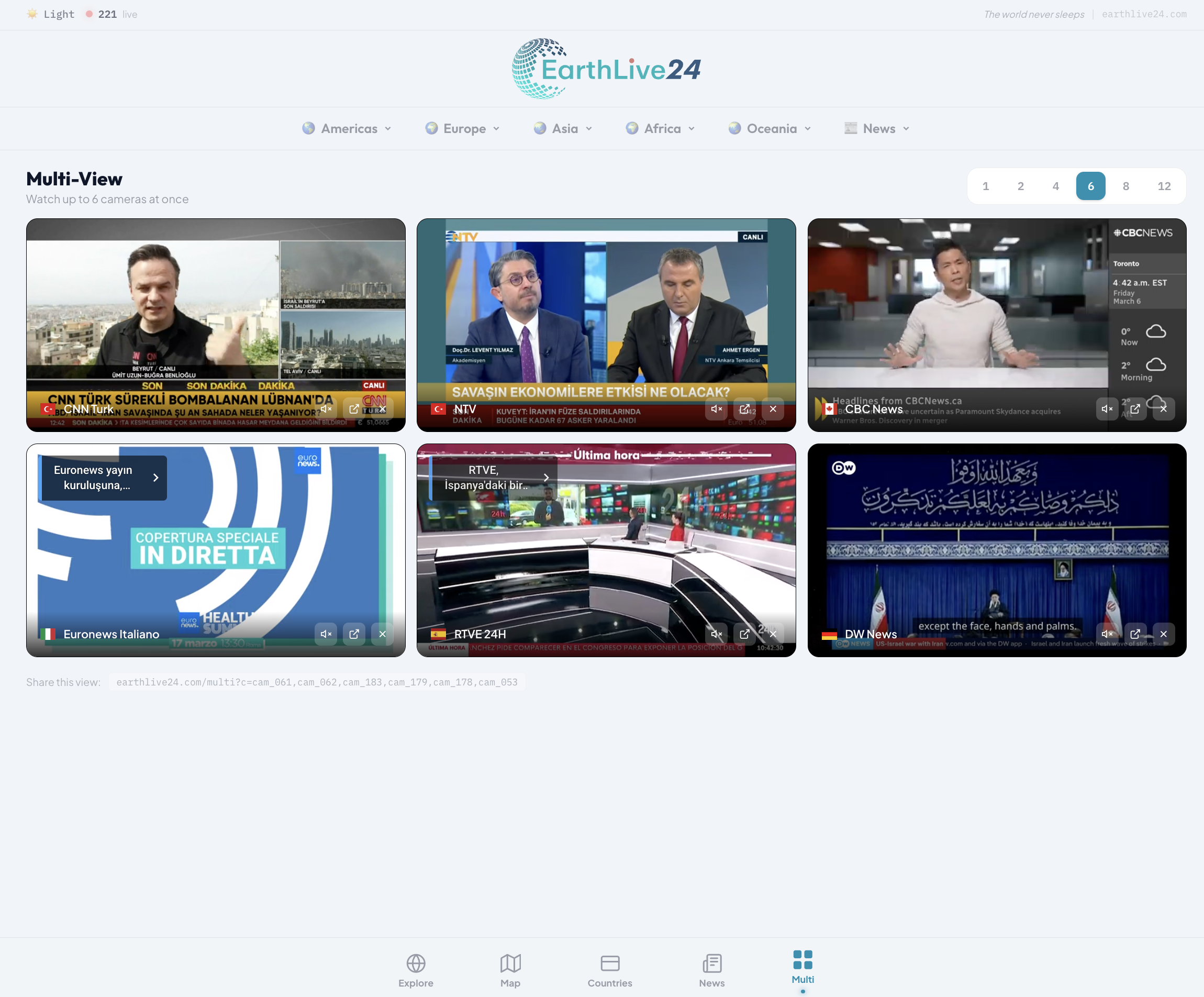
Ever wanted to follow breaking news from multiple sources at once? Whether it's a global event, election night, or just staying informed, watching a single news channel gives you only one perspective. What if you could watch 4, 6, or even 12 news channels simultaneously — for free?
That's exactly what EarthLive24's Multi-View feature lets you do.
Why Watch Multiple News Channels?
In today's fast-paced world, relying on a single news source isn't enough. Different channels cover the same story from different angles, with different experts and different breaking updates. By watching multiple channels at once, you:
- Get the full picture — See how the same event is covered in Turkey, the US, UK, India, and the Middle East
- Catch breaking news faster — One channel might be on a commercial break while another is showing live footage
- Compare perspectives — International news channels have vastly different editorial approaches
- Stay informed on multiple stories — Monitor regional and international news simultaneously
How to Use Multi-View for News
Step 1: Open Multi-View
Go to earthlive24.com/multi — no account or sign-up needed.
Step 2: Choose Your Layout
Select how many channels you want to watch. We recommend 4-screen layout for news — it's the perfect balance between visibility and coverage.
Step 3: Add News Channels
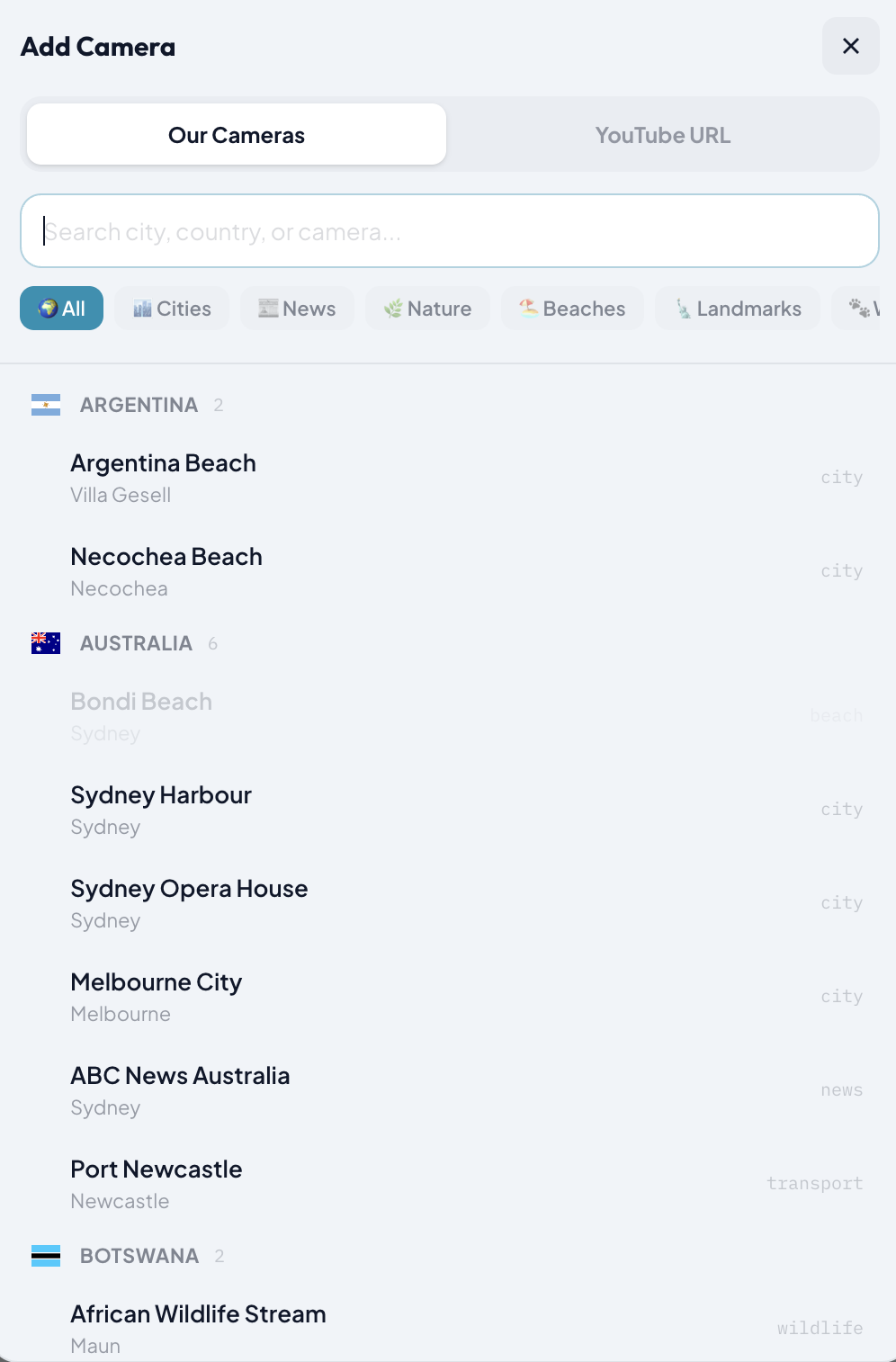
Click the "+" button on any empty slot, then select the News category filter. You'll see all available live news channels grouped by country with flag icons.
Step 4: Control Audio
Click the speaker icon on any channel to unmute it instantly — no stream reload needed. This is powered by the YouTube IFrame API for seamless audio switching between channels.
Ready-Made News Multi-Views
We've prepared some popular combinations you can open with a single click:
World News Overview
Watch the biggest international English-language news channels side by side:
- Al Jazeera English (Qatar)
- France 24 English (France)
- Sky News (UK)
- ABC News (US)
Turkish News Channels
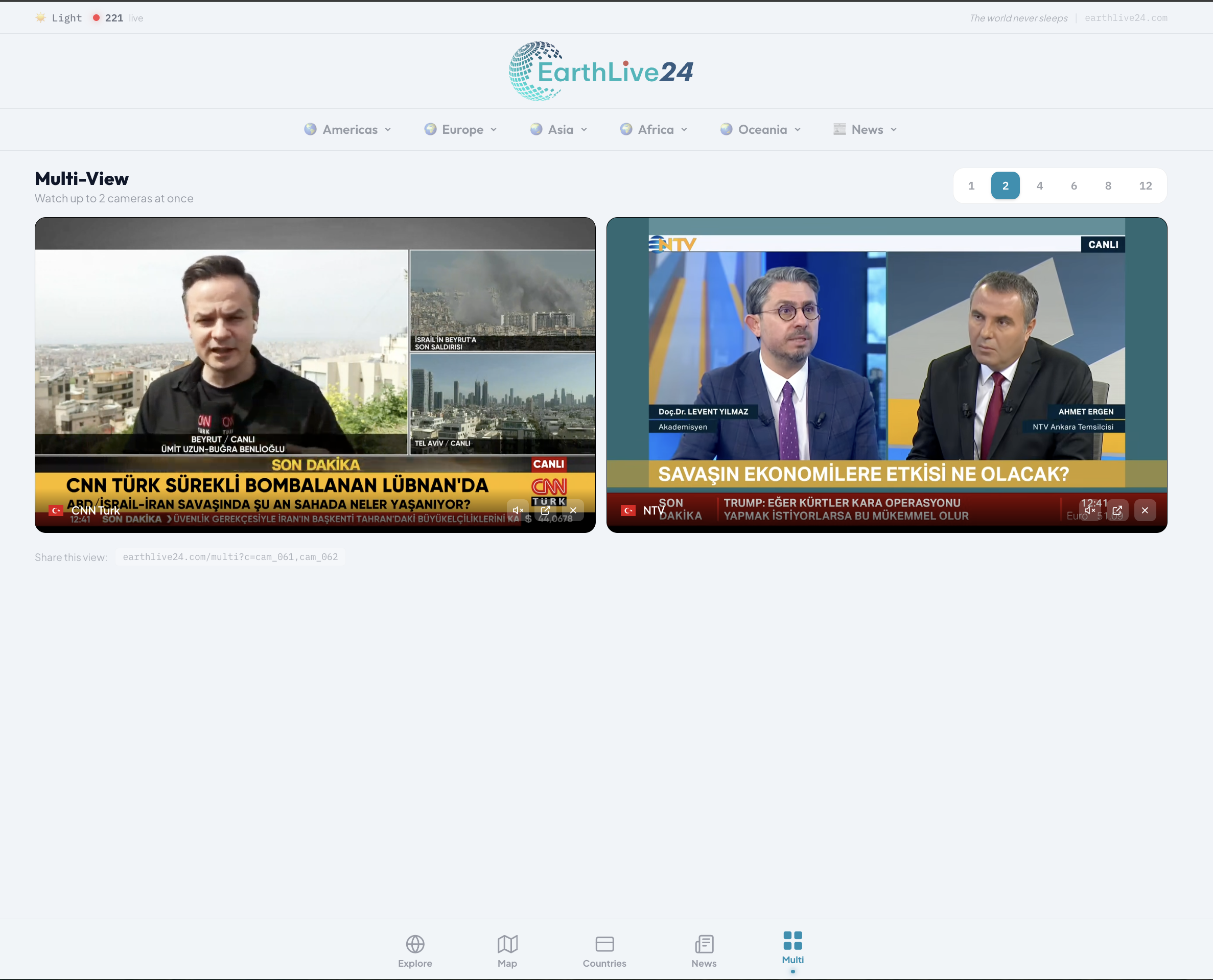
Monitor all major Turkish news channels at once:
Open Turkish News Multi-View →
- TRT World
- CNN Turk
- NTV
- Haber Global
Extended Turkish News (8 Channels)
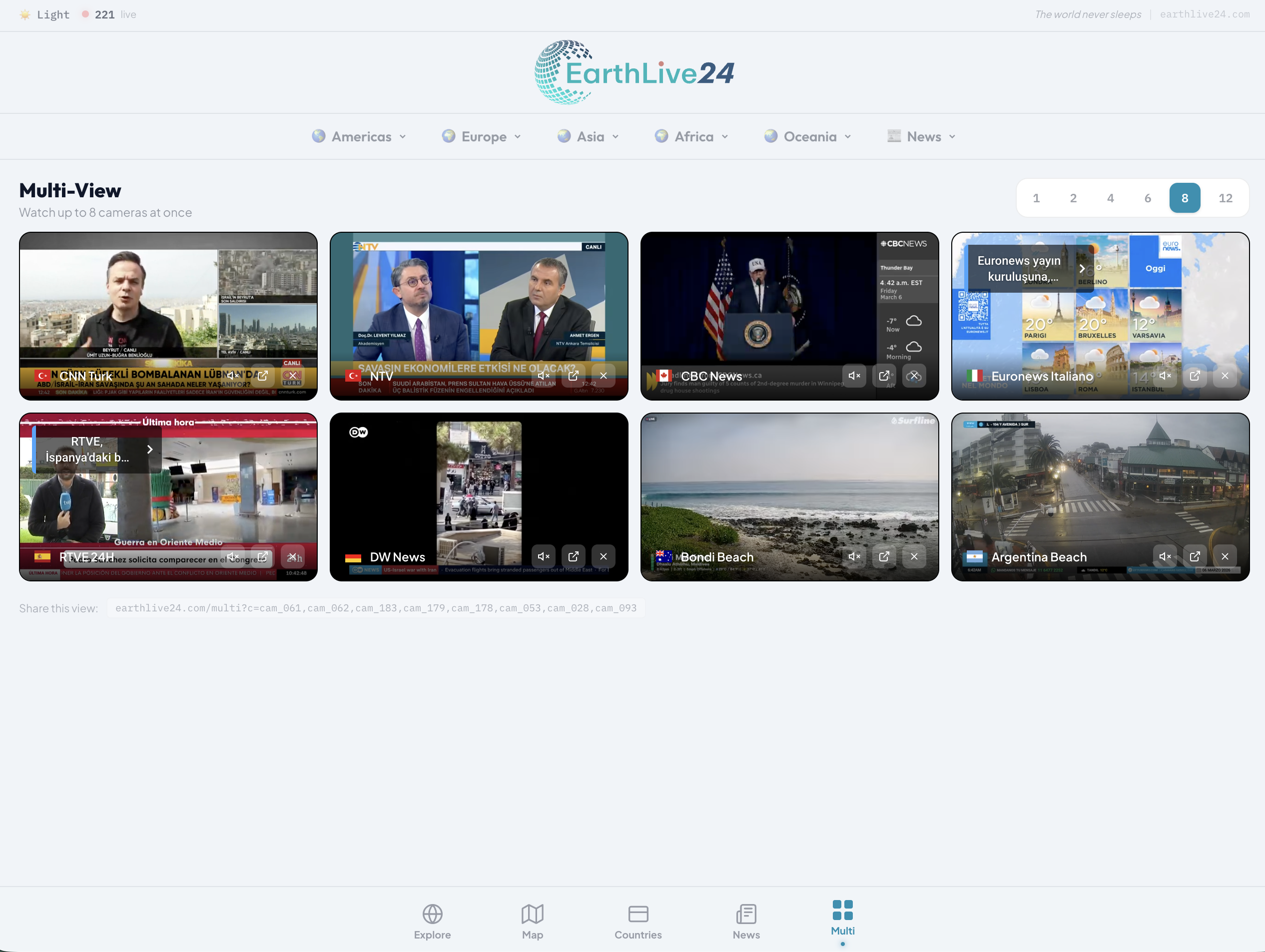
For the ultimate Turkish news monitoring experience:
All 8 channels: TRT World, CNN Turk, NTV, Haber Global, TGRT Haber, Haberturk TV, Halk TV, 24 TV
US News Channels
Follow American news from multiple networks:
- ABC News
- NBC News NOW
- LiveNOW from FOX
Add Your Own YouTube Streams
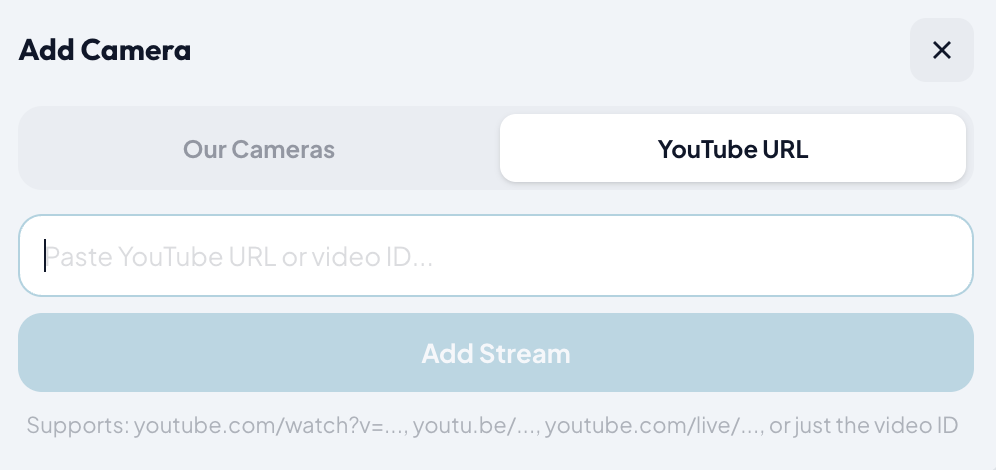
Multi-View isn't limited to our camera collection. You can paste any YouTube live stream URL directly:
- Click the "+" button
- Switch to the "YouTube URL" tab
- Paste any YouTube live stream link
- Click "Add Stream"
This means you can mix our news channels with any other YouTube live broadcast — sports, weather, conferences, or any live event.
Tips for the Best Experience
- Use a larger screen — Multi-View works best on tablets and desktops, but 2 or 4 channels work great on phones too
- Landscape mode on mobile — Rotate your phone for a full-screen experience with no header or navigation bars
- Bookmark your setup — The URL updates automatically with your camera selection, so you can bookmark your favorite combination
- Share with friends — Copy the URL to share your exact multi-view setup with anyone
- Instant mute/unmute — Click the speaker icon to switch audio between channels without any reload
Go Full Command Center Mode
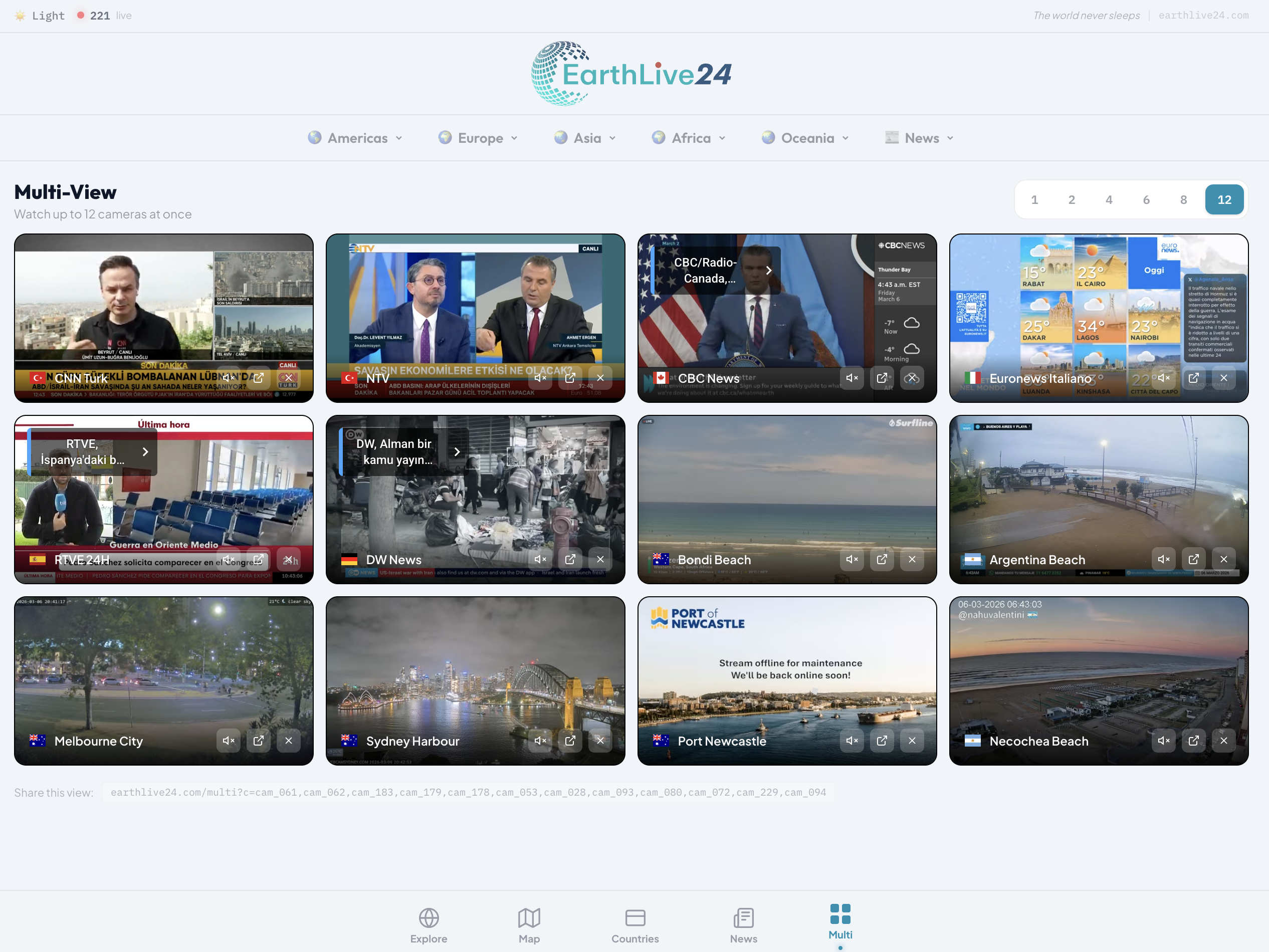
For the ultimate monitoring experience, use the 12-screen layout on a large display. Watch news from every continent, mix in city cameras and nature streams — your own personal news command center.
- No cable subscription needed — All channels stream free on YouTube
- No app to install — Works directly in your browser
- No account required — Just open and watch
- Works on any device — Phone, tablet, laptop, or desktop
Whether you're monitoring elections, following a developing crisis, or just want to compare how different countries cover the same story, Multi-View is the most powerful free tool for watching live news.