Multi-View Guide: How to Watch Multiple Live Streams at Once
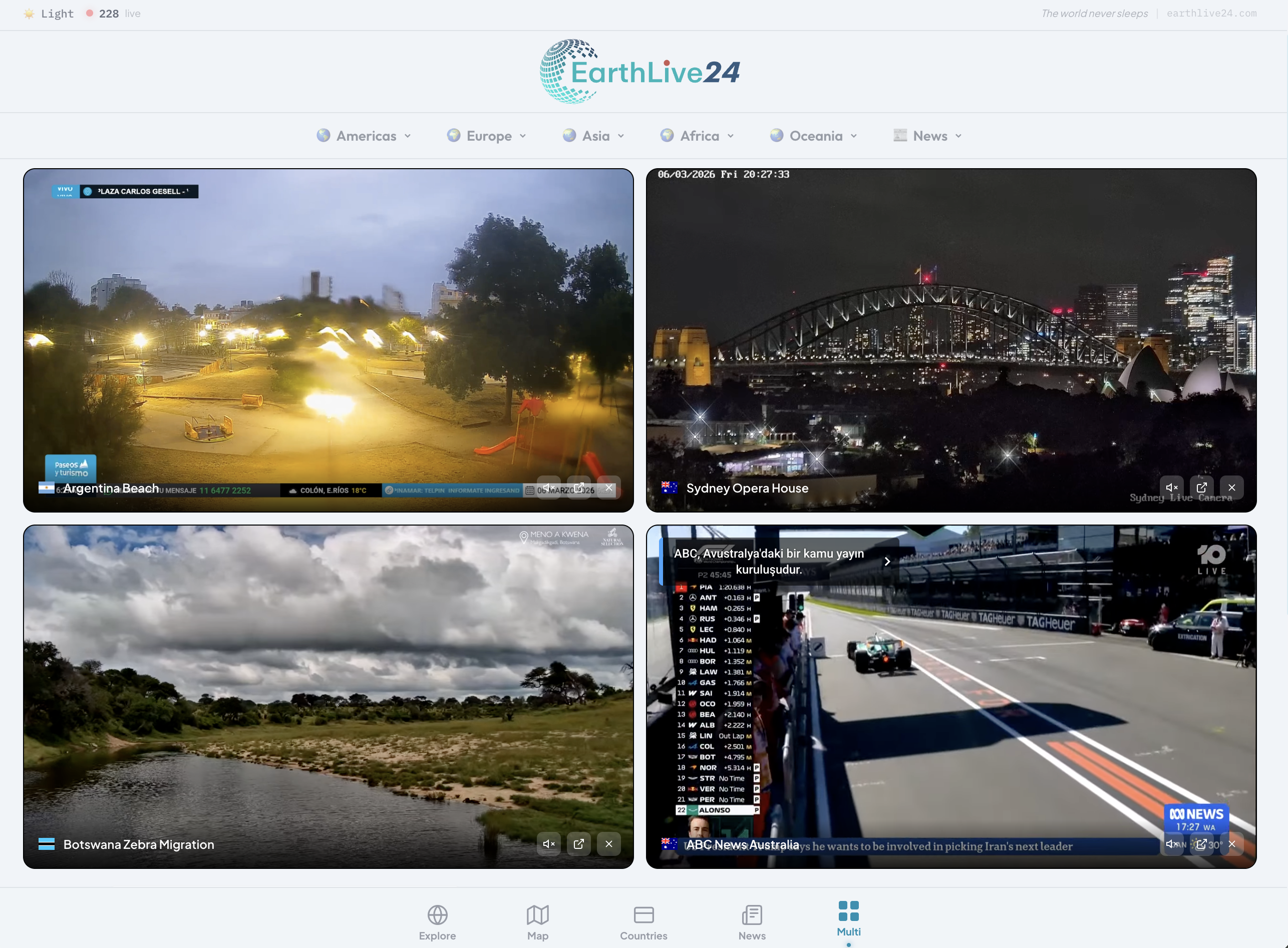
EarthLive24's Multi-View is the most powerful free tool for watching multiple live streams simultaneously. Whether you want to monitor news channels, watch city cameras, follow sports, or combine any YouTube live streams — it all works in your browser, no downloads or accounts required.
What is Multi-View?
Multi-View lets you watch up to 12 live streams on a single screen in a customizable grid layout. Choose from:
- 175+ curated live cameras from 50+ countries
- 30+ live news channels from around the world
- Any YouTube live stream via URL paste
All completely free, with instant audio control and a responsive design that works on any device.
Getting Started
Step 1: Open Multi-View
Visit earthlive24.com/multi — that's it, no sign-up needed.
Step 2: Choose Your Grid Layout
Select how many streams you want to watch:
- 1 stream — Full-screen single view
- 2 streams — Side by side comparison
- 4 streams — Classic quad-screen (most popular)
- 6 streams — Extended view (desktop/tablet)
- 8 streams — Power user setup (desktop)
- 12 streams — Command center mode (desktop)
On mobile, layouts are automatically optimized — 1, 2, and 4 are available for the best viewing experience on smaller screens.
Step 3: Add Cameras
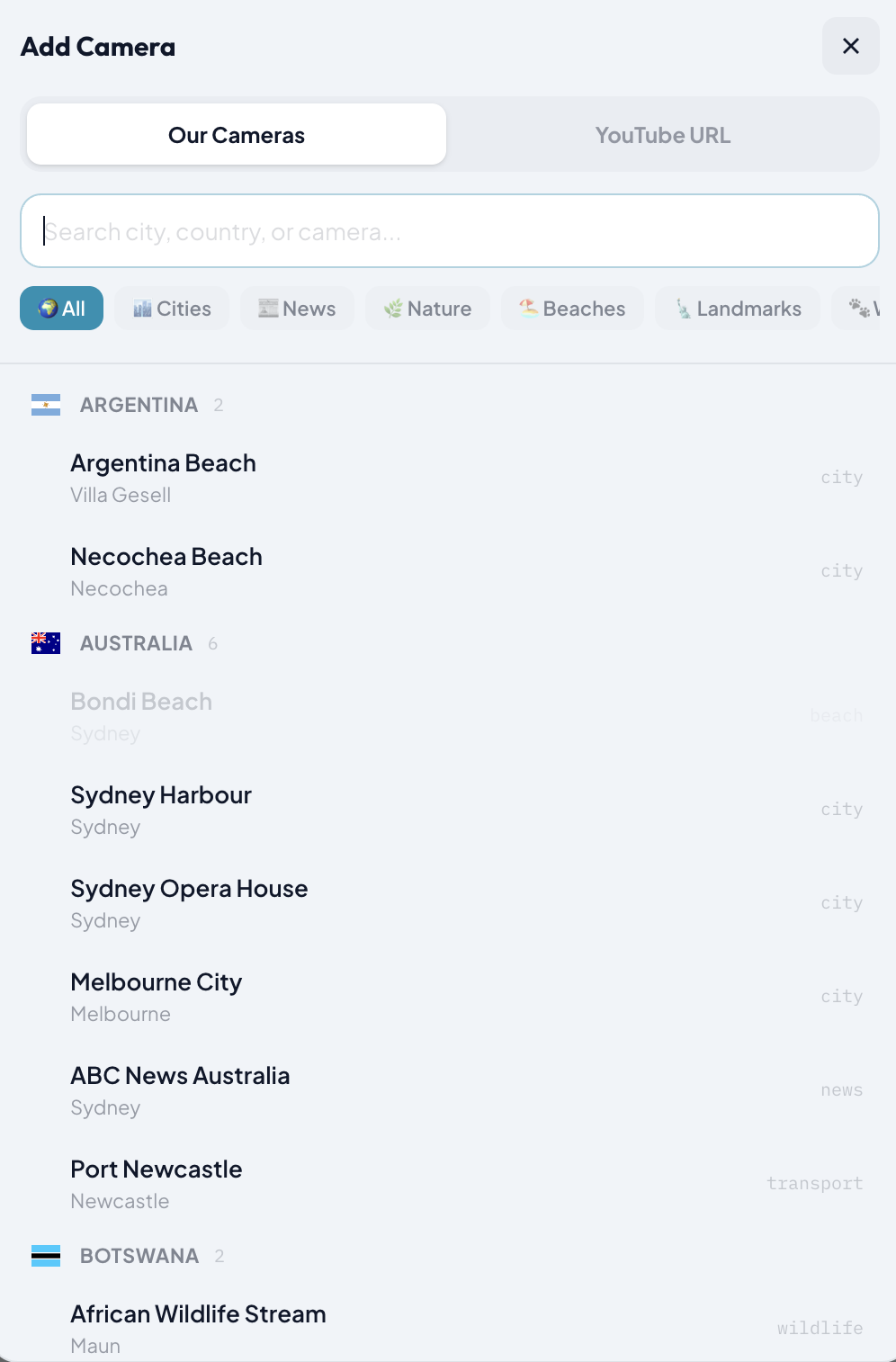
Click the "+" button on any empty slot. You have two options:
Option A: Choose from Our Collection
Browse our curated cameras with:
- Search — Type any city, country, or camera name
- Category filters — Cities, News, Nature, Beaches, Landmarks, Wildlife, Transport, Space
- Country grouping — Cameras are organized by country with flag icons for easy browsing
Option B: Paste a YouTube URL
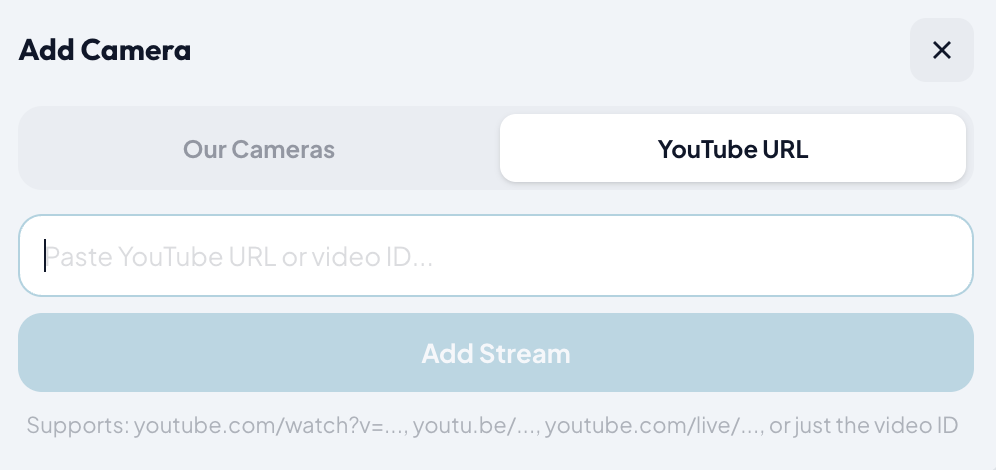
Switch to the "YouTube URL" tab and paste any YouTube live stream link. Supports:
youtube.com/watch?v=...
youtu.be/...
youtube.com/live/...
- Or just the 11-character video ID
Step 4: Manage Audio
Every stream starts muted (browser autoplay policy). Click the speaker icon on any stream to unmute it. The audio switches instantly thanks to the YouTube IFrame API — no stream reload, no buffering delay.
Popular Multi-View Setups
News Junkie
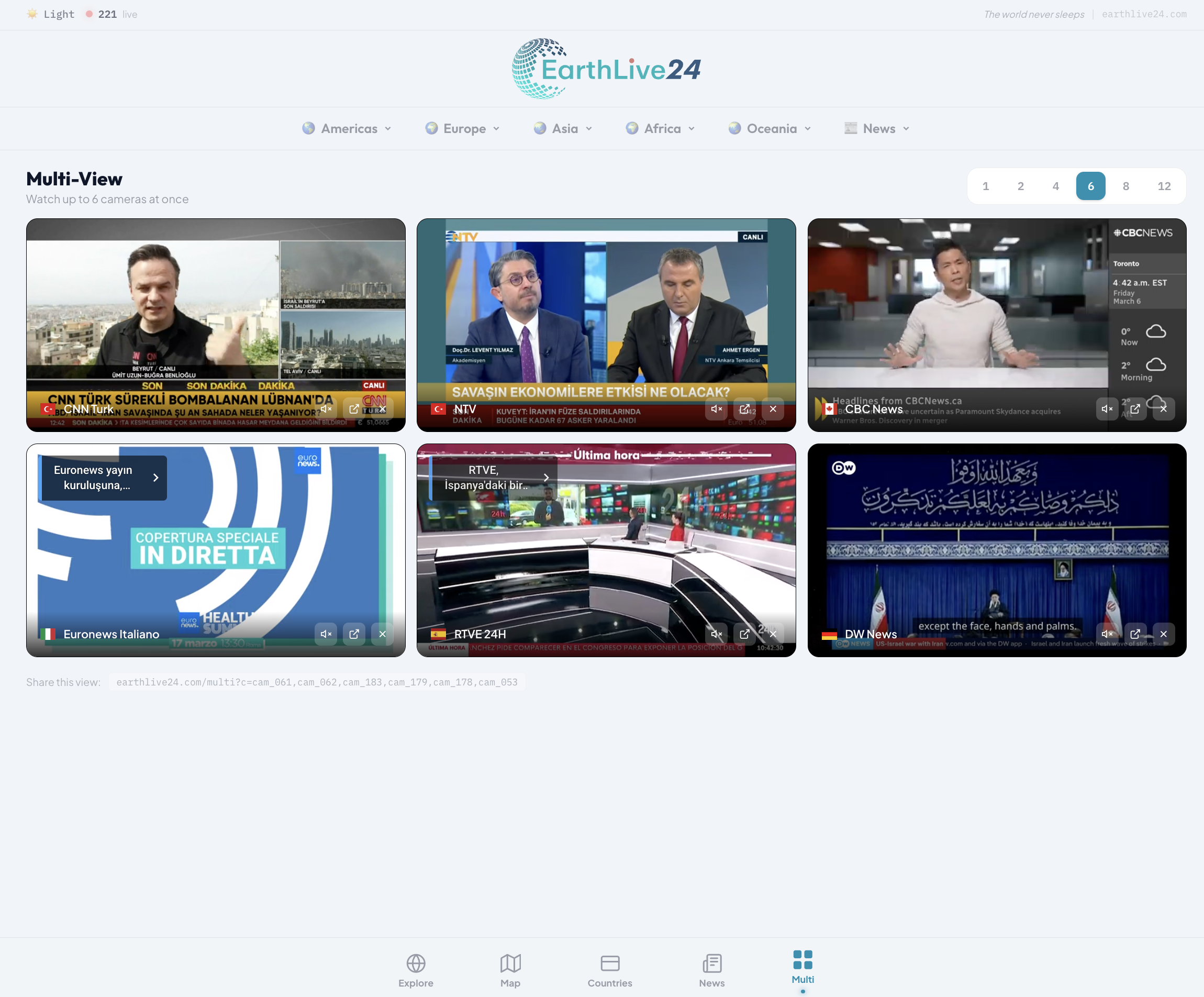
World News (4 channels) →
Al Jazeera + France 24 + Sky News + ABC News
Turkish News (4 channels) →
TRT World + CNN Turk + NTV + Haber Global
All Turkish News (8 channels) →
TRT World + CNN Turk + NTV + Haber Global + TGRT + Haberturk + Halk TV + 24 TV
Sports Fan
Turkish Sports →
beIN Sports Haber + A Spor
World Explorer
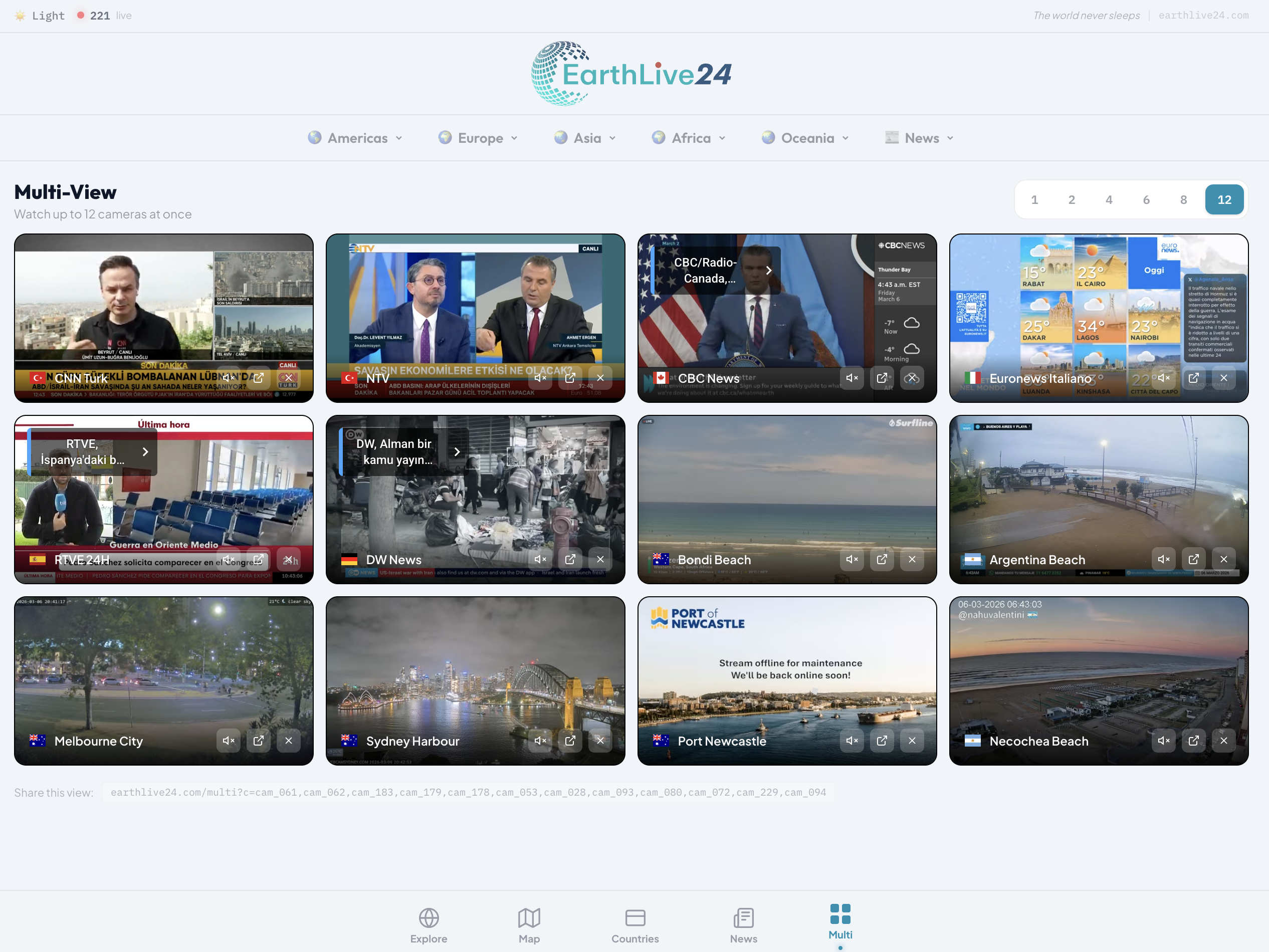
Open Multi-View and pick cities from different continents to see the world in real-time. Use the 12-screen layout for the ultimate command center experience.
Pro Tips
Mobile Experience
- Rotate to landscape — Header, navigation bar, and footer automatically hide for a full-screen experience
- 2 or 4 streams work best on phones
- Works great on tablets with up to 6 streams
- Layout buttons for 6, 8, 12 are hidden on mobile to prevent tiny unusable views
Sharing & Bookmarking
The URL automatically updates with your camera selection. For example:
earthlive24.com/multi?c=cam_055,cam_061,cam_051,cam_052- Bookmark your favorite setup for quick access
- Share the URL with friends — they'll see the exact same layout
- Great for sharing breaking news setups on social media
Mixing Sources
Combine our curated cameras with any YouTube stream. For example, watch your local news on one screen while monitoring international channels on the others.
Use Cases
Journalists & Media Professionals
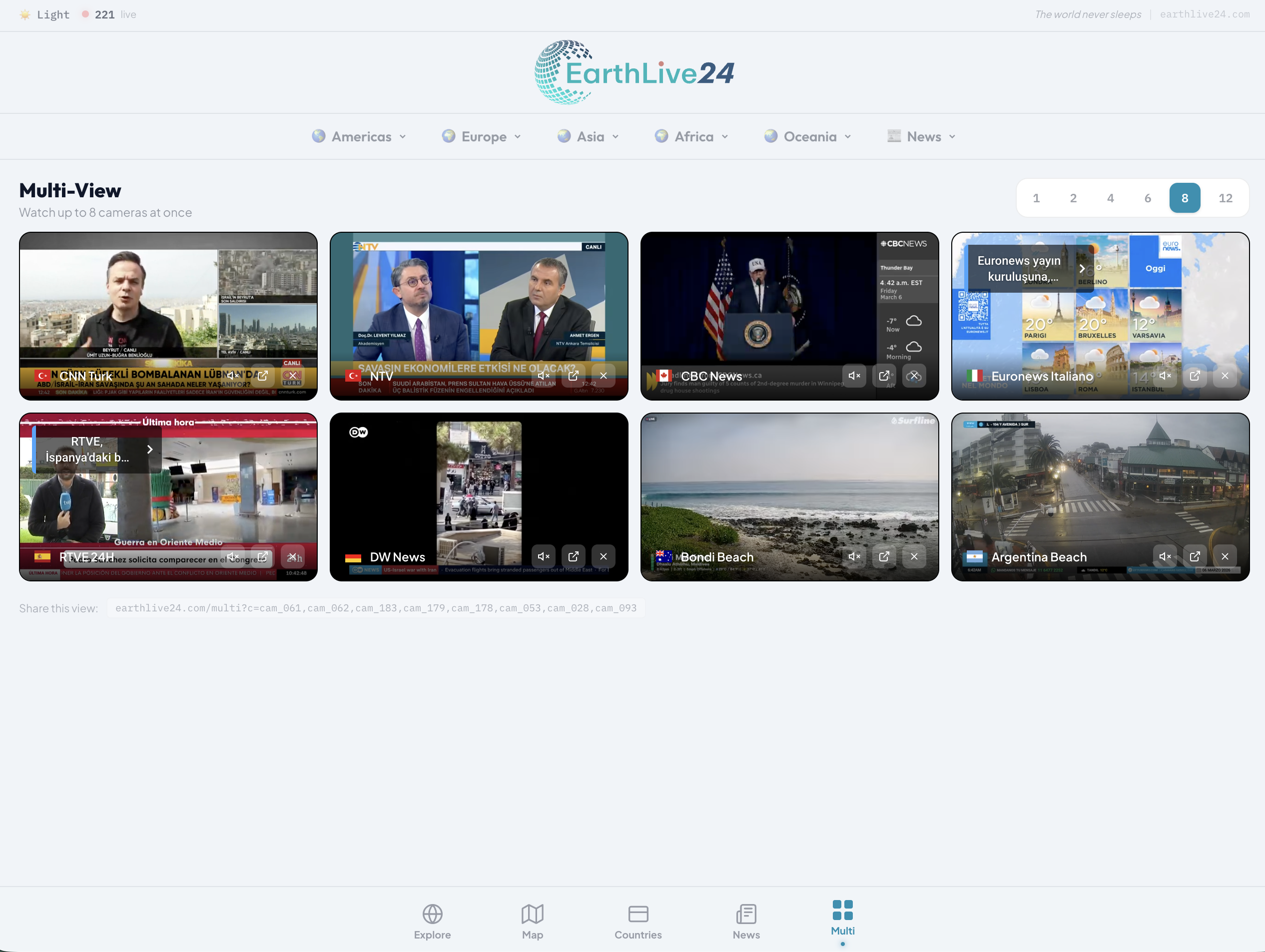
Monitor multiple news sources simultaneously for comprehensive media coverage. Perfect for newsrooms, media analysis, and real-time event tracking. The instant audio switching makes it easy to focus on whichever channel has the most important update.
Travelers & Expats
Watch live cameras from your home country and your destination. Stay connected to familiar places while exploring new ones.
Weather Enthusiasts
Compare weather conditions across multiple cities in real-time. Watch storms develop, sunsets paint the sky, and seasons change.
Remote Workers
Keep a window to the world open while working from home. Live city views and nature cameras create an ambient connection to places beyond your office.
Educators
Demonstrate time zones, geography, weather patterns, and cultural differences with live visual examples from around the world.
Technical Details
- Built on YouTube IFrame API — Professional-grade video player with instant audio control
- No bandwidth limit — Stream as many cameras as your internet can handle
- Auto-quality — YouTube automatically adjusts video quality based on your connection
- Works everywhere — Chrome, Firefox, Safari, Edge — any modern browser on any device
- Responsive design — Optimized layouts for phone, tablet, and desktop
Start Watching
Multi-View is free, instant, and requires nothing but a web browser. Whether you want to follow breaking news, watch the world wake up, or create your own multi-screen experience — it's all one click away.