
Multi Cam Livestream Viewer — Watch Several Streams at Once

What Is a Multi Cam Livestream Viewer?
A multi cam livestream viewer is a tool that allows you to watch multiple live video streams simultaneously on a single screen. Instead of opening numerous browser tabs or juggling between different applications, a multi-view viewer consolidates various streams into one accessible interface. This offers a streamlined and efficient way to monitor multiple locations, events, or activities in real-time. It enhances situational awareness and saves considerable time and effort, especially when tracking multiple points of interest.
The core functionality revolves around aggregating independent video feeds from various sources. Think of it as a personalized command center where you curate the streams that matter most to you. The viewer typically offers customizable layouts, enabling you to arrange the streams in a grid, mosaic, or other configurations that suit your viewing preferences. This flexibility is crucial as different scenarios require varying degrees of focus on specific streams.
Beyond the convenience of consolidated viewing, a good multi cam livestream viewer also provides additional features like adjustable stream sizes, audio controls for individual streams, and potentially even recording capabilities. These features enhance the user experience and make the tool more versatile for diverse applications. EarthLive24's own multi-view feature allows you to easily watch multiple streams at once directly from your browser, without the need for any downloads or plugins. It's the perfect solution for anyone who wants to keep an eye on different parts of the world simultaneously.
How EarthLive24 Multi-View Works
EarthLive24's multi-view feature is designed to be user-friendly and accessible, offering a seamless experience for watching multiple live streams. The system operates directly within your web browser, eliminating the need for any software downloads or installations. This browser-based approach ensures compatibility across various operating systems and devices.
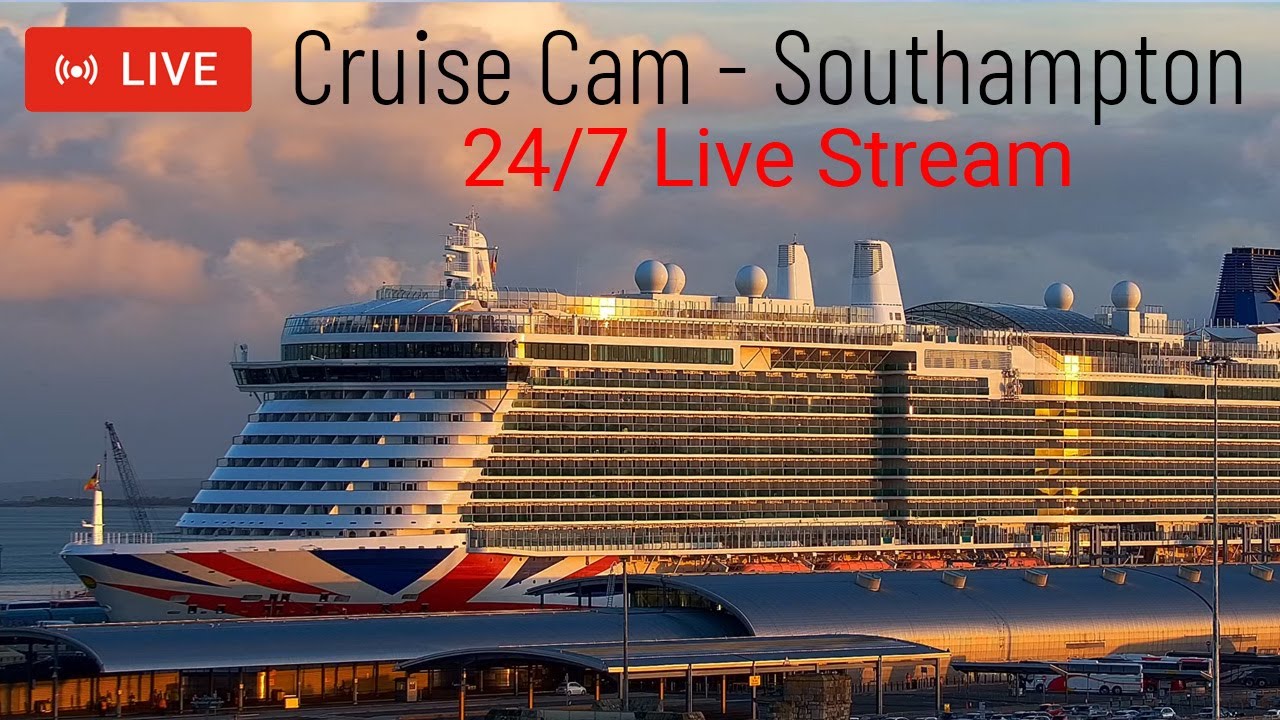
To initiate multi-view, simply navigate to the EarthLive24 website and access the multi-view section. From there, you can select the live cameras you wish to include in your customized view. EarthLive24 currently hosts over 250 cameras from 50+ countries, providing an extensive selection. For example, you could simultaneously monitor the vibrant scene at Abbey Road in the United Kingdom and the bustling harbor at Southampton Port, also in the United Kingdom. Or perhaps keep an eye on the tranquil beaches of Thailand with Koh Samui and Koh Phangan Beach.
Once you've chosen your desired cameras, the multi cam livestream viewer automatically arranges the streams into a grid layout. The layout is responsive, adapting to your screen size and the number of streams selected. EarthLive24's multi-view currently supports up to 12 streams, allowing for comprehensive monitoring. You can then adjust the individual stream volumes and focus on any particular feed. The beauty of this system lies in its simplicity – you can easily add, remove, and rearrange streams to create the perfect viewing experience for your specific needs. Feel free to explore cameras on the map to find more interesting locations to watch.
Supported Stream Types

The EarthLive24 multi cam livestream viewer is engineered to support a wide range of stream types, ensuring compatibility with the diverse camera feeds available on the platform. The primary stream type supported is HLS (HTTP Live Streaming), which is widely used for live video delivery over the internet. HLS offers excellent compatibility across different browsers and devices, making it a reliable choice for delivering live content.
In addition to HLS, the platform also supports other common streaming protocols, such as RTMP (Real-Time Messaging Protocol) and MJPEG (Motion JPEG), although these are less prevalent. The system automatically detects the stream type and adjusts accordingly, ensuring a seamless viewing experience regardless of the underlying technology. This technical flexibility is crucial for accommodating the wide variety of cameras hosted on EarthLive24, each potentially utilizing a different streaming method.
The platform constantly evolves to incorporate support for new and emerging stream types. This commitment to adaptability ensures that the EarthLive24 multi cam livestream viewer remains compatible with the latest advancements in video streaming technology, providing users with the best possible viewing experience. If you encounter a stream that doesn't function as expected, our support team is readily available to investigate and address any compatibility issues. We strive to provide a universally accessible platform, regardless of the camera's technical specifications.
Best Layouts for Multi Cam Viewing
Choosing the right layout for your multi cam livestream viewer is crucial for optimizing your viewing experience. The ideal layout depends on the number of streams you are watching and your specific monitoring needs. For a small number of streams (2-4), a simple grid layout with equally sized windows often works best. This allows you to easily see all the streams at a glance and quickly identify any areas of interest.
When monitoring a larger number of streams (6-9), a more flexible grid layout with adjustable window sizes becomes beneficial. This allows you to prioritize certain streams by making them larger, while keeping the remaining streams visible in smaller windows. For example, if you are monitoring several beaches, such as Paraty - BalacoBacco Beach Bar in Brazil alongside Koh Phangan Beach in Thailand, and you are particularly interested in the weather conditions at one location, you could make that stream larger for more detailed observation.
For the maximum number of supported streams (10-12), a mosaic layout or a layout with a primary stream and several smaller secondary streams can be effective. The mosaic layout arranges the streams in a visually appealing pattern, while the primary/secondary layout allows you to focus on one key stream while still keeping an eye on the others. Consider a scenario where you're following news from NBC News NOW in the United States and NTV in Turkey, while also tracking weather in Cape Town Table Mountain in South Africa. In this case, you might prioritize the news channels while keeping the weather feed visible. Experimenting with different layouts is key to finding the one that best suits your needs.
Real-World Use Cases
The applications for a multi cam livestream viewer are diverse and span numerous industries and personal interests. One common use case is for security and surveillance. Businesses and homeowners can use a multi-view viewer to monitor multiple security cameras simultaneously, providing a comprehensive view of their property. This is particularly useful for large facilities or properties with multiple entrances and exits.
Another significant application is in traffic monitoring and transportation management. City planners and transportation authorities can use a multi cam livestream viewer to monitor traffic flow at various locations, identify bottlenecks, and respond to incidents in real-time. For example, they could monitor key intersections and highways to optimize traffic signal timing and dispatch emergency services as needed. Imagine simultaneously monitoring Sydney Harbour in Australia.
Multi Cam Viewer vs Split Screen Browser
While both a multi cam livestream viewer and a split-screen browser extension allow you to view multiple streams simultaneously, they differ significantly in functionality and user experience. A split-screen browser extension essentially divides your browser window into multiple sections, each displaying a separate webpage. While this can be a simple way to view multiple streams, it often lacks the specialized features and optimization of a dedicated multi-view viewer.
A multi cam livestream viewer, like the one offered by EarthLive24, is specifically designed for managing and displaying multiple video streams. It typically offers features such as adjustable stream sizes, individual audio controls, and customizable layouts, which are not available with a simple split-screen browser. Additionally, a multi-view viewer is often optimized for video streaming, providing better performance and stability compared to simply loading multiple video streams in separate browser tabs.
The EarthLive24 multi cam livestream viewer excels in providing a seamless and intuitive experience. It is designed to efficiently handle multiple video streams without bogging down your system. Unlike a split-screen browser setup, which can consume significant resources, our viewer is optimized for performance, ensuring smooth playback even with multiple high-definition streams. Furthermore, the ability to easily add, remove, and rearrange streams within the viewer provides a level of control and customization that is simply not possible with a split-screen browser.
FAQ
How many streams can I watch simultaneously?
EarthLive24's multi cam livestream viewer currently supports up to 12 simultaneous streams. This allows for comprehensive monitoring of various locations or events. We are always working to improve our platform, and future updates may increase the number of supported streams.
Is the multi-view feature free to use?
Yes, the multi-view feature on EarthLive24 is completely free to use. We believe in providing accessible tools for exploring the world through live cameras. There are no hidden fees or subscriptions required to access this feature.
Does the multi-view feature work on mobile devices?
Yes, the multi-view feature is designed to be responsive and work on mobile devices. The layout automatically adjusts to fit your screen size, ensuring a seamless viewing experience on both desktops and mobile devices.